2026年に企画復活(予定)
MASAMUNE Clone と SFPS(SMART調査)は、2026年の復活に向けて準備中です。
先行案内の希望や用途相談は、お問い合わせからご連絡ください。
MASAMUNE Clone と SFPS(SMART調査)は、2026年の復活に向けて準備中です。
先行案内の希望や用途相談は、お問い合わせからご連絡ください。
使用方法の解説
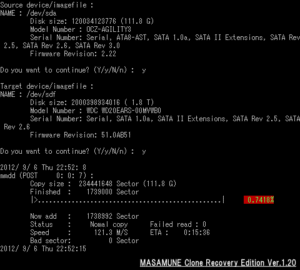
Usage:mmdd <source> <destination> [options]
Options:
- -b
- buffersize <num> sector size of input device/imagefile (default=512)
- -B
- skip <num> skip sector size in case of errs (default=100k)
- -s
- start <num> start position in input device/imagefile (default=0)
- -e
- end <num> end position in input device/imagefile (default=device size)
- -S
- copysize <num> copy size in input device/imagefile
- -d
- delay <num> the wait time when read bad sector(default=10s [1..60])
- -l
- logfile <file> log bad area in case of errs
- -r
- reverse reverse direction copy (default=forward)
- -t
- truncate truncate output file (default=no)
- -h
- help display this help and exit
example:
- High speed clone command
- mmdd /dev/sda /dev/sdb -b 4096
- Clone test command
- mmdd /dev/sda /dev/null -b 4096
- Reverse Clone command
- mmdd /dev/sda /dev/sdb -r
- Bad Sector Skip mode
- mmdd /dev/sda /dev/sdb -m 1
- Bad Sector Skip mode and Get Hash (Forensics Edtion Only)
- mmdd /dev/sda /dev/sdb -m 2

